
When customers discover your products on WhatsApp, you do not have to collect every order through a long conversation. Share an online shop link so buyers can browse products and pay, then manage the orders in one place. This guide shows the current workflow with Waabot’s online store builder.
Updated September 21, 2026. Waabot’s current product supports online shops, Paystack payments and order management. This guide has been revised to remove earlier claims about WhatsApp checkout messages, guaranteed error-free fulfilment and automatic sales growth.
What can you automate, and what still needs your attention?
An online shop gives buyers a consistent product catalogue and checkout. Customers can choose products and pay through Paystack after following your shop link. You still need to maintain accurate stock, answer questions, check payment status, pack orders and arrange delivery.
Sharing a Waabot link in WhatsApp does not require you to build a chatbot. Automatic chat replies and messaging campaigns are separate capabilities; this guide focuses on ordering through the online shop.
1. Put product details in your shop
Create your Waabot shop and add the products you are ready to sell. Include photos, prices, sizes or colours and stock information. If shoppers repeatedly ask the same question, add the answer to the relevant product description.
For example, a shoe seller can show the available sizes and the price for each product. The customer can review those details before starting a chat, while you can spend your reply time on questions that need a personal answer.
2. Connect Paystack before sharing checkout
Waabot supports collecting Naira payments through Paystack. Complete the payment-account connection before inviting customers to pay. Check the provider’s current account requirements and processing fees, and review your checkout information from a customer’s phone.
Use the payment status in the dashboard when deciding which orders to prepare. If a buyer reports a payment problem, check the order and payment details before telling them to try again.
3. Share one clear ordering link
Use the shop link provided by Waabot in your WhatsApp conversations and social profiles. Pair the link with a useful description of what the customer can do there.
Example message: “You can see the available sizes and prices and place your order here: [your shop link]. Send me a message if you need help choosing a size.” Replace the placeholder before using the message.
Open the link yourself before sending it. Check that the product information is current and the shop is ready to accept orders.
4. Find and follow orders in the dashboard
Open Orders from the dashboard navigation. Search by order number or customer, then narrow the list by status, channel and date. The status filter offers New, Confirmed, Shipped, Delivered and Cancelled. Check the date range if an expected order is missing; the screen we checked defaulted to Last 30 days.
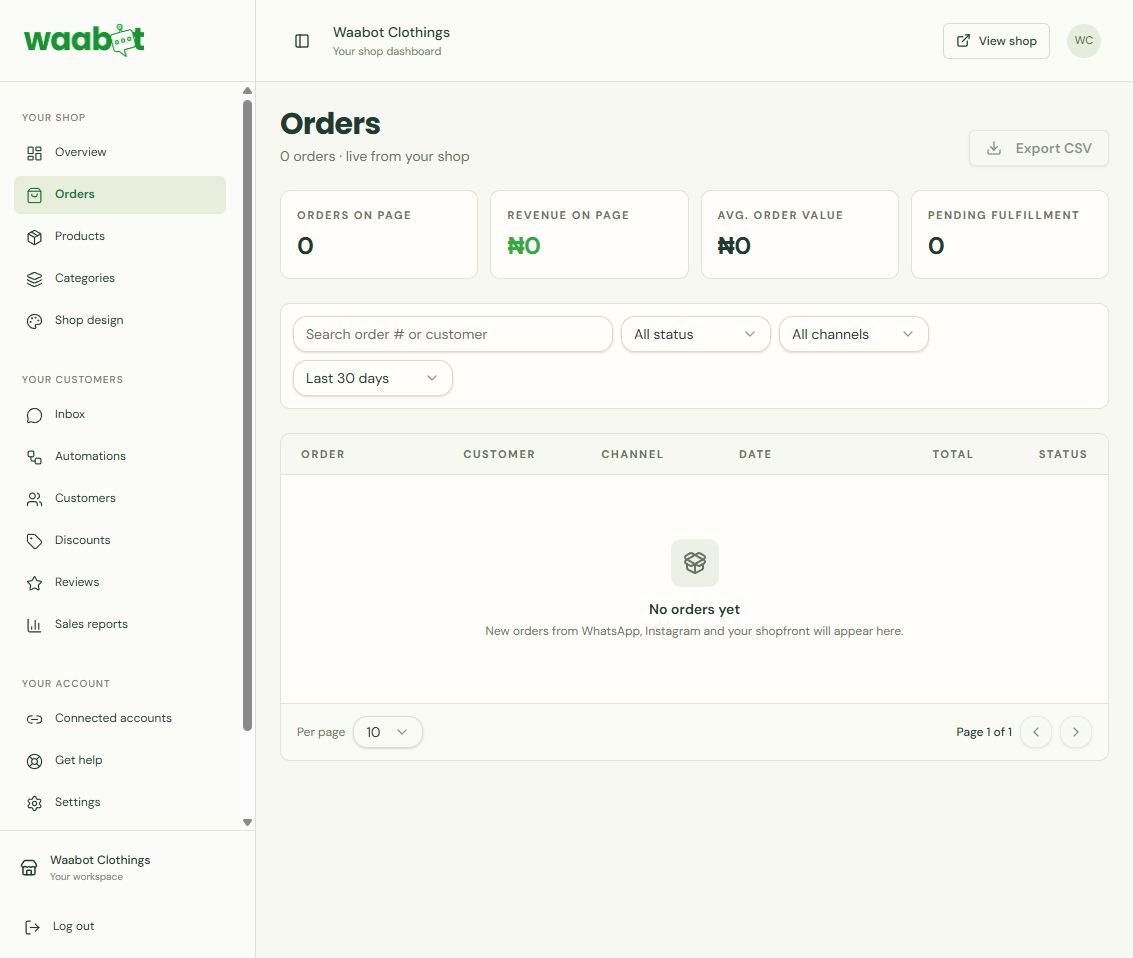
Review what the customer bought and the order status. Prepare the correct items, update the order as you pack it, and mark progress when it is sent. Waabot keeps orders, customer details and product stock in the same dashboard.
A simple routine is to review incoming orders at set times, group the ones ready to pack, and follow up on anything that needs attention. Your delivery arrangements and customer communication remain part of your fulfilment process.
5. Keep the catalogue accurate
Review stock and prices regularly. Remove confusion by describing what is included, which options are available and how customers can get help. A clear catalogue reduces the need to copy the same information into multiple conversations.
Common questions
Do customers order inside WhatsApp?
In this workflow, WhatsApp is where you share the link and answer questions. Buyers follow the link to order and pay in your Waabot online shop.
Do I need coding skills?
No. You can add products and manage orders using Waabot’s shop setup and dashboard.
Does this automatically handle delivery?
You can track order progress, but you still need to arrange delivery and keep customers informed.
Set up your order workflow
Start with the step-by-step guide to creating an online store in Nigeria, or create your Waabot shop and prepare your first products.
Conversation