To sell on Instagram in Nigeria, show customers what you sell, give them a clear way to browse prices and place an order, and explain payment and delivery before they buy. An online shop can be the destination behind your Instagram profile link, while you use posts and conversations to help people choose.
This guide covers a practical Instagram → online shop → checkout workflow. It does not depend on Instagram’s in-app shopping or checkout features. The Waabot setup screens referenced here were checked in September 2026.
1. Make your profile answer the first buying questions
A new visitor should understand your product, where you serve customers and how to order. Use a recognisable shop name and a concise bio. Put delivery information, product details and answers to common questions where customers can find them easily.
Example bio: Everyday bags and accessories in Lagos.
See available colours, prices and delivery details in our shop.
Browse and order using the link below.
Adapt the example to your real business. Do not promise nationwide delivery, same-day dispatch or an exchange policy unless you can fulfil it. A smaller, accurate promise is more useful than an impressive but unreliable one.
2. Give every promoted product a complete shop listing
Start with a few items you can supply reliably. For each listing, include a clear name, current price, photos, material, measurements and available options. If an item is made to order, explain the preparation time separately from delivery time.
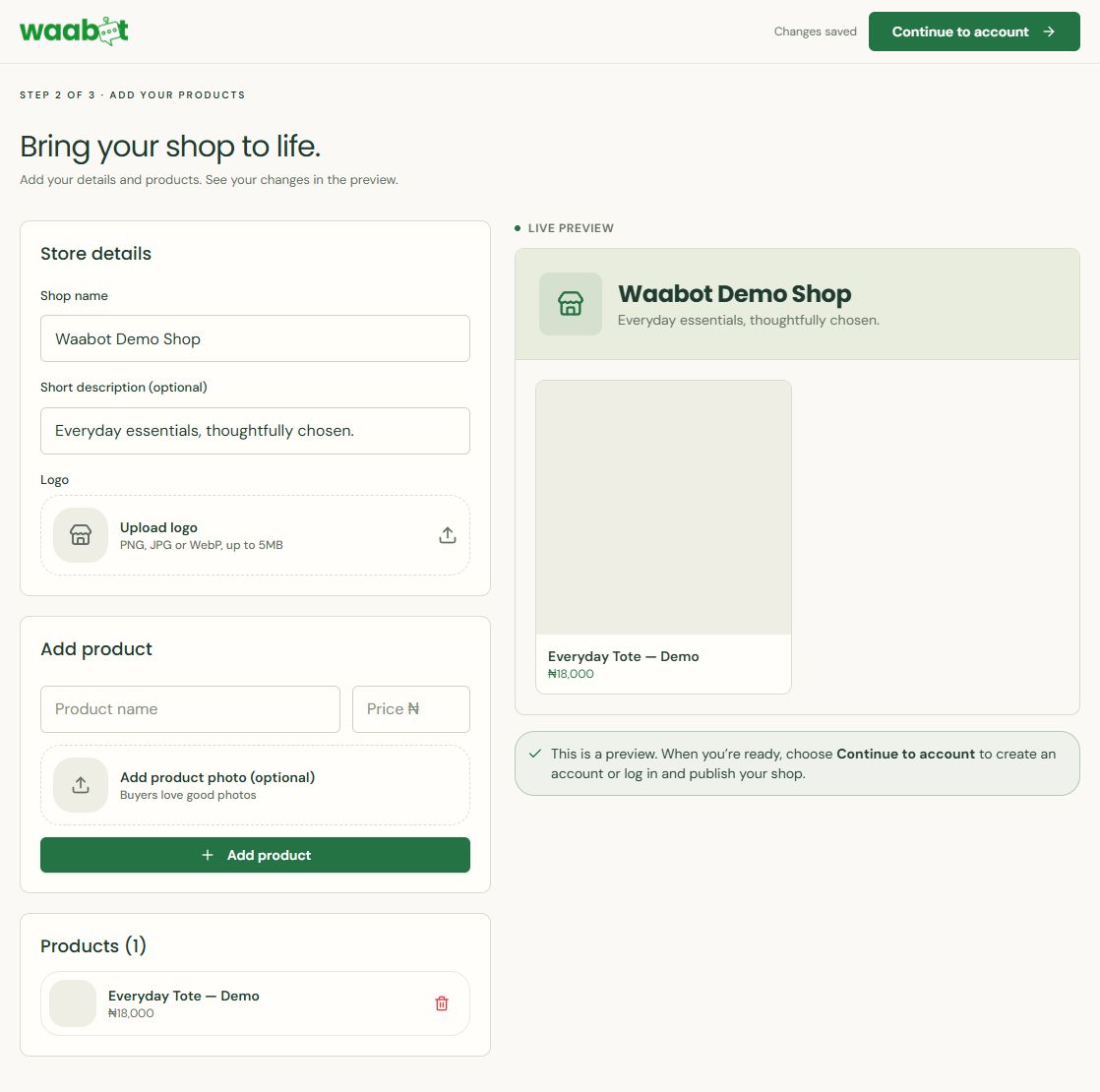
In Waabot, the public setup flow lets you name a shop and preview a product before continuing to account creation or login. For the complete walkthrough, use our online-store setup guide.
3. Connect your profile to the right destination
Add your store URL using your Instagram profile’s external-link controls. Give the link a clear title such as “Shop available products”. Check the current Instagram app interface if the labels on your phone differ.
Open the profile as a customer would and follow the link on a phone. Check that it opens the correct business, that the promoted products are available, and that important information is readable without zooming. If you use a page with several links, make the shop destination easy to recognise.
For a small collection, linking to the whole shop can work well. When replying to a question about one item, a direct product link may be more useful. Test the full route from that product page through the cart before promoting it.
4. Make each post lead to one clear next step
Use your own product photos and demonstrate details buyers cannot judge from a single image. A bag seller might show the inside pockets, the strap length and what fits inside. A clothing seller can show the fabric and explain how the garment is measured.
Example caption: Meet the Everyday Tote. See the dimensions, available colours and current price in our shop. Follow the shop link in our profile to browse, or message us if you need help choosing.
Avoid asking people to comment for a price when you can display an accurate one. If pricing depends on a custom specification, explain what information you need to quote. Do not use fabricated reviews or false limited-stock claims.
5. Use messages to resolve questions
A useful reply acknowledges the question, gives the missing detail and provides a relevant ordering link. Keep it personal enough to address the actual enquiry.
Thanks for asking. The bag measures [width × height × depth] and has [verified features]. You can check the current options and price here: [product link]. What delivery area should we check for you?
Replace every bracketed field before sending. Do not treat a conversation or a payment screenshot as proof that an order is ready to dispatch. Confirm the order and payment through your business records.
6. Prepare payment and delivery before promotion
Waabot’s online-shop offering supports Paystack payments. Complete your payment setup and review the checkout before asking customers to pay. Explain delivery charges, service areas and contact details before the customer commits.
Keep a routine for reviewing orders, checking stock and arranging fulfilment. Our order-management guide shows the current dashboard filters and status labels. The same shop workflow can support visitors arriving from Instagram.
What to measure in your first month
- Which posts lead to useful product questions?
- How many visitors follow the shop link, where your reporting provides this?
- Which questions keep delaying purchases?
- How many confirmed orders can you trace to Instagram?
- Are customers abandoning the journey because of missing product or delivery information?
Do not treat likes as sales. Keep a simple weekly record, improve the most common point of confusion and compare like-for-like periods. Start with a manageable posting routine instead of a volume target you cannot maintain.
Common questions
Do I need a website to start selling on Instagram?
You can discuss products through messages, but a hosted online shop gives buyers a consistent place to see details and order. You do not need to code a website to use Waabot.
Does this require Instagram checkout?
No. This workflow sends customers to your separate online shop. Availability of Instagram’s own commerce features is a different question.
Can Waabot run Instagram ads for me?
Waabot’s public product site currently labels integrated ad management as coming soon. This guide covers your existing Instagram audience and a shop link.
Give Instagram visitors a place to order
Explore Waabot’s online store builder or start setting up your shop. Check current pricing and terms before committing.
Conversation